Screen zoom
Zooms and pans across whatever you wrap so a rectangle of the content (a button, a chart, a card) fills the frame, eased between keyframes.
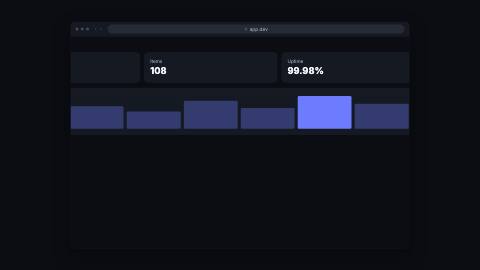
ScreenZoom, detail
Installation
npx shadcn add https://www.reelcn.dev/r/screen-zoom.jsonFiles land in src/reelcn/ with the items it builds on. Dependencies: remotion.
Usage
<BrowserWindow url="app.dev">
  <ScreenZoom
    focus={[
      { frame: 0, x: 0, y: 0, width: 100, height: 100 },
      { frame: 40, x: 55, y: 30, width: 30, height: 24 },
    ]}
  >
    <Dashboard />
  </ScreenZoom>
</BrowserWindow>
Props
PropTypeDescription
delaynumberFrames to wait before entering.
durationnumberEnter duration in frames. Defaults to 0.6s. Some items reuse
duration for an unrelated local timing. See that item's own prop docs.exitnumber | booleanExit at the end of the parent `<Sequence>`.
false keeps it on screen, a number sets the exit length in frames. Default false.motionMotionPersonalityOverride the theme's motion personality.
posterbooleanRenders fully entered, with no exit: for a still frame or thumbnail. Defaults to
false.holdFramesnumberDelays the start of the exit window by this many frames, for a minimum on-screen hold. Defaults to
0.focus*ScreenZoomFocus[]
childrenReactNode
styleCSSProperties
classNamestring
Built from
Use
- Pushing in on a detail inside a `browser-window`, `app-window` or dashboard mockup
- A guided tour that visits several parts of the same screen in turn
Avoid
- Panning and zooming over a photo or footage with pixel offsets. Use
camera
Guides
Components take their colors from a theme, their timing from motion props and their layout from the canvas.
Source
registry/items/screen-zoom.tsx
/**
 * @title Screen Zoom
 * @category product
 * @description Zooms and pans across whatever you wrap so a rectangle of the content (a button, a chart, a card) fills the frame, eased between keyframes.
 * @duration data-driven
 * @use Pushing in on a detail inside a `browser-window`, `app-window` or dashboard mockup
 * @use A guided tour that visits several parts of the same screen in turn
 * @avoid Panning and zooming over a photo or footage with pixel offsets. Use `camera`
 * @tags zoom, pan, focus, screen, product, tour
 * @example
 * <BrowserWindow url="app.dev">
 *   <ScreenZoom
 *     focus={[
 *       { frame: 0, x: 0, y: 0, width: 100, height: 100 },
 *       { frame: 40, x: 55, y: 30, width: 30, height: 24 },
 *     ]}
 *   >
 *     <Dashboard />
 *   </ScreenZoom>
 * </BrowserWindow>
 */
import type React from "react";
import { AbsoluteFill } from "remotion";
import {
  type AnchorRect,
  anchorToContentPercent,
  type MotionProps,
  type PoseKey,
  requireAnchor,
  useKeyframePath,
  useMotion,
} from "./core";

export type ScreenZoomFocus =
  | {
      /** Frame the frame finishes arriving here, counted from `delay`. */
      frame: number;
      /** Rectangle to fill the canvas with, in % of the content (0–100 on each axis). */
      x: number;
      y: number;
      width: number;
      height: number;
    }
  | {
      frame: number;
      /**
       * A kit anchor's rect instead of a literal one, lets a tour visit several kit anchors in turn.
       * Anchors are always canvas-% (§2); this `ScreenZoom`'s own `x/y/width/height` above is
       * content-% (relative to whatever it wraps). `contentBox` names this `ScreenZoom`'s own
       * canvas-relative rect so the anchor can be converted correctly; omit it only when this
       * `ScreenZoom` fills the entire canvas (the identity conversion is then a no-op).
       */
      target: { anchors: Record<string, AnchorRect>; id: string; contentBox?: AnchorRect };
    };

/**
 * Timing comes from `focus`. Of the motion props, `delay` shifts every keyframe and `motion` picks the easing
 * between them; `exit` is off by default so the zoom holds its last keyframe.
 */
export type ScreenZoomProps = MotionProps & {
  focus: ScreenZoomFocus[];
  children?: React.ReactNode;
  style?: React.CSSProperties;
  className?: string;
};

const REST: { frame: number; x: number; y: number; width: number; height: number } = {
  frame: 0,
  x: 0,
  y: 0,
  width: 100,
  height: 100,
};

const CANVAS_BOX: AnchorRect = { x: 0, y: 0, width: 100, height: 100 };

export function ScreenZoom({ focus, exit = false, children, style, className, ...motion }: ScreenZoomProps) {
  const m = useMotion({ ...motion, exit });
  // Resolves each keyframe's rect independently, in this same render pass, from whatever `anchors` map
  // the caller already produced this frame, no reference held past this line, no publishing. A `target`
  // resolves via `requireAnchor` (throws on a missing id, same contract every other consumer uses) and is
  // converted from canvas-% to this ScreenZoom's own content-% via `contentBox` (identity when omitted).
  const rectOf = (p: ScreenZoomFocus) =>
    "target" in p
      ? anchorToContentPercent(
          requireAnchor(p.target.anchors, p.target.id, "ScreenZoom"),
          p.target.contentBox ?? CANVAS_BOX,
        )
      : p;
  const points = focus.slice().sort((a, b) => a.frame - b.frame);
  const keys: PoseKey[] = points.map((p) => {
    const rect = rectOf(p);
    return { frame: m.delay + p.frame, x: rect.x, y: rect.y, width: rect.width, height: rect.height };
  });
  const path = useKeyframePath(keys, { motion: m.preset });
  const rect: { frame: number; x: number; y: number; width: number; height: number } =
    points.length > 0
      ? { frame: path.frame, x: path.x, y: path.y, width: path.width ?? 100, height: path.height ?? 100 }
      : REST;

  // Percentage translate is resolved against this element's own box, so the math holds whether ScreenZoom
  // fills the whole canvas or sits nested inside a smaller frame like `browser-window`.
  const scale = Math.min(100 / Math.max(rect.width, 1), 100 / Math.max(rect.height, 1));
  const cx = rect.x + rect.width / 2;
  const cy = rect.y + rect.height / 2;

  return (
    <AbsoluteFill className={className} style={{ overflow: "hidden", opacity: 1 - m.exit, ...style }}>
      <AbsoluteFill
        style={{ transformOrigin: "50% 50%", transform: `scale(${scale}) translate(${50 - cx}%, ${50 - cy}%)` }}
      >
        {children}
      </AbsoluteFill>
    </AbsoluteFill>
  );
}