Camera
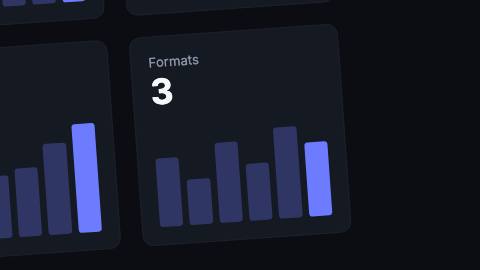
Virtual camera that pans, zooms, rolls and shakes over whatever it wraps, eased between keyframes.
Installation
npx shadcn add https://www.reelcn.dev/r/camera.jsonFiles land in src/reelcn/ with the items it builds on. Dependencies: remotion.
Usage
<Camera
  keyframes={[
    { frame: 0, zoom: 1 },
    { frame: 30, x: -210, y: -210, zoom: 2 },
    { frame: 75, zoom: 1 },
  ]}
  shake={4}
>
  <Img src={staticFile("dashboard.png")} style={{ width: "100%" }} />
</Camera>
Props
PropTypeDescription
delaynumberFrames to wait before entering.
durationnumberEnter duration in frames. Defaults to 0.6s. Some items reuse
duration for an unrelated local timing. See that item's own prop docs.exitnumber | booleanExit at the end of the parent `<Sequence>`.
false keeps it on screen, a number sets the exit length in frames. Default false.motionMotionPersonalityOverride the theme's motion personality.
posterbooleanRenders fully entered, with no exit: for a still frame or thumbnail. Defaults to
false.holdFramesnumberDelays the start of the exit window by this many frames, for a minimum on-screen hold. Defaults to
0.keyframes*CameraKeyframe[]
shakenumberHandheld shake amplitude in design units. 0 is a locked-off camera. Over full-bleed footage keep
zoom a little above 1 so the edges never show. Default 0.shakeSpeednumberHow fast the shake wobbles, in rough cycles per second. Default
1.5.childrenReactNode
styleCSSProperties
classNamestring
Built from
Use
- Pushing in on a detail of a screenshot, dashboard or illustration, then pulling back out
- Handheld energy or an impact shake on a title card
- Splitting a scene into background/foreground layers that parallax at different strengths
Avoid
- Giving one element its own zoom or slide entrance, use
animate
Guides
Components take their colors from a theme, their timing from motion props and their layout from the canvas.
Source
registry/items/camera.tsx
/**
 * @title Camera
 * @category motion
 * @description Virtual camera that pans, zooms, rolls and shakes over whatever it wraps, eased between keyframes.
 * @duration data-driven
 * @use Pushing in on a detail of a screenshot, dashboard or illustration, then pulling back out
 * @use Handheld energy or an impact shake on a title card
 * @avoid Giving one element its own zoom or slide entrance, use `animate`
 * @use Splitting a scene into background/foreground layers that parallax at different strengths
 * @tags camera, zoom, pan, shake, ken burns, push in
 * @example
 * <Camera
 *   keyframes={[
 *     { frame: 0, zoom: 1 },
 *     { frame: 30, x: -210, y: -210, zoom: 2 },
 *     { frame: 75, zoom: 1 },
 *   ]}
 *   shake={4}
 * >
 *   <Img src={staticFile("dashboard.png")} style={{ width: "100%" }} />
 * </Camera>
 * @example
 * <Camera keyframes={[{ frame: 0, zoom: 1 }, { frame: 60, x: -100, zoom: 2 }]}>
 *   <Camera.Layer depth={0}>
 *     <Img src={staticFile("bg.png")} style={{ width: "100%" }} />
 *   </Camera.Layer>
 *   <Camera.Layer depth={1}>
 *     <Img src={staticFile("fg.png")} style={{ width: "100%" }} />
 *   </Camera.Layer>
 * </Camera>
 */
import type React from "react";
import { Children, isValidElement } from "react";
import { AbsoluteFill } from "remotion";
import { type MotionProps, type PoseKey, useKeyframePath, useMotion, useViewport } from "./core";

export type CameraKeyframe = {
  /** Frame at which the camera arrives here, counted from `delay`. */
  frame: number;
  /** Point the camera centers on, in design units right of the canvas center. */
  x?: number;
  /** Point the camera centers on, in design units below the canvas center. */
  y?: number;
  /** 1 shows the whole canvas; 2 fills the frame with a quarter of it. */
  zoom?: number;
  /** Roll in degrees; positive tilts the picture clockwise. */
  rotate?: number;
};

/**
 * Timing comes from `keyframes`. Of the motion props, `delay` shifts every keyframe, `motion` picks the easing between
 * them, and `exit` is off by default (a camera holds its last keyframe); pass it to fade the shot out at the end of the
 * parent Sequence.
 */
export type CameraProps = MotionProps & {
  keyframes: CameraKeyframe[];
  /** Handheld shake amplitude in design units. 0 is a locked-off camera. Over full-bleed footage keep `zoom` a little above 1 so the edges never show. */
  shake?: number;
  /** How fast the shake wobbles, in rough cycles per second. */
  shakeSpeed?: number;
  children?: React.ReactNode;
  style?: React.CSSProperties;
  className?: string;
};

export type CameraLayerProps = { depth?: number; children?: React.ReactNode };

/**
 * Marks a child for its own parallax depth inside `<Camera>`: `0` = background, no parallax; `1` =
 * foreground, full parallax (the same motion every un-wrapped child already gets). Rendered on its own,
 * outside a `<Camera>`, it's a no-op passthrough.
 */
export function CameraLayer({ children }: CameraLayerProps) {
  return <>{children}</>;
}

function isCameraLayer(node: React.ReactNode): node is React.ReactElement<CameraLayerProps> {
  return isValidElement(node) && node.type === CameraLayer;
}

type Pose = { x: number; y: number; zoom: number; rotate: number };

const rest: Pose = { x: 0, y: 0, zoom: 1, rotate: 0 };

/** Missing values carry over from the previous keyframe, so `{ frame: 60, zoom: 1 }` keeps the current pan. */
function resolvePoses(keyframes: CameraKeyframe[]) {
  const sorted = keyframes.slice().sort((a, b) => a.frame - b.frame);
  const poses: (Pose & { frame: number })[] = [];
  let last = rest;
  for (const key of sorted) {
    last = {
      x: key.x ?? last.x,
      y: key.y ?? last.y,
      zoom: key.zoom ?? last.zoom,
      rotate: key.rotate ?? last.rotate,
    };
    poses.push({ frame: key.frame, ...last });
  }
  return poses;
}

/** Smooth, non-repeating wobble in -1..1 built from three incommensurate sines. */
const wobble = (t: number, phase: number) =>
  Math.sin(t * 2.1 + phase) * 0.55 + Math.sin(t * 3.7 + phase * 1.9) * 0.3 + Math.sin(t * 6.3 + phase * 3.1) * 0.15;

export function Camera({
  keyframes,
  shake = 0,
  shakeSpeed = 1.5,
  exit = false,
  children,
  style,
  className,
  ...motion
}: CameraProps) {
  const { u } = useViewport();
  const m = useMotion({ ...motion, exit });
  const poses = resolvePoses(keyframes);
  const keys: PoseKey[] = poses.map((p) => ({
    frame: m.delay + p.frame,
    x: p.x,
    y: p.y,
    scale: p.zoom,
    rotate: p.rotate,
  }));
  const path = useKeyframePath(keys, { motion: m.preset });
  const pose: Pose = { x: path.x, y: path.y, zoom: path.scale ?? 1, rotate: path.rotate ?? 0 };
  const t = (m.frame / m.fps) * shakeSpeed * Math.PI;
  const shakeX = u(shake) * wobble(t, 0);
  const shakeY = u(shake) * wobble(t, 2.4);
  const shakeRotate = shake * 0.06 * wobble(t, 4.8);
  const kids = Children.toArray(children);
  const hasLayers = kids.some(isCameraLayer);

  if (!hasLayers) {
    return (
      <AbsoluteFill className={className} style={{ overflow: "hidden", opacity: 1 - m.exit, ...style }}>
        <AbsoluteFill
          style={{
            transformOrigin: "50% 50%",
            transform: [
              `translate(${shakeX}px, ${shakeY}px)`,
              `rotate(${pose.rotate + shakeRotate}deg)`,
              `scale(${Math.max(pose.zoom, 0.01)})`,
              `translate(${-u(pose.x)}px, ${-u(pose.y)}px)`,
            ].join(" "),
          }}
        >
          {children}
        </AbsoluteFill>
      </AbsoluteFill>
    );
  }

  return (
    <AbsoluteFill className={className} style={{ overflow: "hidden", opacity: 1 - m.exit, ...style }}>
      {kids.map((kid, index) => {
        const depth = isCameraLayer(kid) ? (kid.props.depth ?? 1) : 1;
        const content = isCameraLayer(kid) ? kid.props.children : kid;
        const layerZoom = 1 + (pose.zoom - 1) * depth;
        return (
          <AbsoluteFill
            key={index}
            style={{
              transformOrigin: "50% 50%",
              transform: [
                `translate(${shakeX * depth}px, ${shakeY * depth}px)`,
                `rotate(${(pose.rotate + shakeRotate) * depth}deg)`,
                `scale(${Math.max(layerZoom, 0.01)})`,
                `translate(${-u(pose.x * depth)}px, ${-u(pose.y * depth)}px)`,
              ].join(" "),
            }}
          >
            {content}
          </AbsoluteFill>
        );
      })}
    </AbsoluteFill>
  );
}

Camera.Layer = CameraLayer;