Stagger
Lays out its children in a row or column and gives each one an `animate` entrance a few frames after the last.
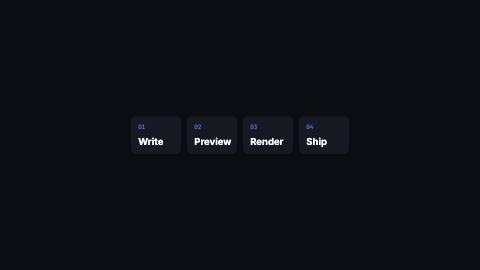
Stagger, steps
Installation
npx shadcn add https://www.reelcn.dev/r/stagger.jsonFiles land in src/reelcn/ with the items it builds on. Dependencies: remotion.
Usage
<Center>
  <Stagger effect="pop" gap={48}>
    <Img src={staticFile("logo-1.png")} />
    <Img src={staticFile("logo-2.png")} />
    <Img src={staticFile("logo-3.png")} />
  </Stagger>
</Center>
Props
PropTypeDescription
delaynumberFrames to wait before entering. Default
0.durationnumberEnter duration in frames. Defaults to 0.6s. Some items reuse
duration for an unrelated local timing. See that item's own prop docs.exitnumber | booleanExit at the end of the parent `<Sequence>`.
false keeps it on screen, a number sets the exit length in frames.motionMotionPersonalityOverride the theme's motion personality.
posterbooleanRenders fully entered, with no exit: for a still frame or thumbnail. Defaults to
false.holdFramesnumberDelays the start of the exit window by this many frames, for a minimum on-screen hold. Defaults to
0.childrenReactNode
effectAnimateEffect Default
"up".exitEffectAnimateEffect Default
"fade".stepnumberFrames between one child's entrance and the next. Defaults to 0.08s.
direction"auto" | "row" | "column"
auto lays out a row in landscape and square, a column in portrait. Default "auto".gapnumberSpace between children, in design units. Default
24.align"center" | "start" | "end"Cross-axis alignment of the children. Default
"center".wrapbooleanLet a row wrap onto more lines when it runs out of width. Default
false.distancenumberTravel distance for directional effects, in design units.
styleCSSProperties
classNamestring
Built from
Use
- Feature lists, logo rows, bullet points and card groups that should arrive one by one
- Any set of elements that should read as a sequence rather than a block
Avoid
- Staggering the words of a single headline, use
text-reveal
Guides
Components take their colors from a theme, their timing from motion props and their layout from the canvas.
Source
registry/items/stagger.tsx
/**
 * @title Stagger
 * @category motion
 * @description Lays out its children in a row or column and gives each one an `animate` entrance a few frames after the last.
 * @duration data-driven
 * @use Feature lists, logo rows, bullet points and card groups that should arrive one by one
 * @use Any set of elements that should read as a sequence rather than a block
 * @avoid Staggering the words of a single headline, use `text-reveal`
 * @tags stagger, sequence, list, cascade, entrance
 * @example
 * <Center>
 *   <Stagger effect="pop" gap={48}>
 *     <Img src={staticFile("logo-1.png")} />
 *     <Img src={staticFile("logo-2.png")} />
 *     <Img src={staticFile("logo-3.png")} />
 *   </Stagger>
 * </Center>
 */
import type React from "react";
import { Children } from "react";
import { useVideoConfig } from "remotion";
import { Animate, type AnimateEffect } from "./animate";
import { type MotionProps, staggerDelay, useViewport } from "./core";

export type StaggerProps = MotionProps & {
  children?: React.ReactNode;
  effect?: AnimateEffect;
  exitEffect?: AnimateEffect;
  /** Frames between one child's entrance and the next. Defaults to 0.08s. */
  step?: number;
  /** `auto` lays out a row in landscape and square, a column in portrait. */
  direction?: "row" | "column" | "auto";
  /** Space between children, in design units. */
  gap?: number;
  /** Cross-axis alignment of the children. */
  align?: "start" | "center" | "end";
  /** Let a row wrap onto more lines when it runs out of width. */
  wrap?: boolean;
  /** Travel distance for directional effects, in design units. */
  distance?: number;
  style?: React.CSSProperties;
  className?: string;
};

const flexAlign = { start: "flex-start", center: "center", end: "flex-end" } as const;

export function Stagger({
  children,
  effect = "up",
  exitEffect = "fade",
  step,
  direction = "auto",
  gap = 24,
  align = "center",
  wrap = false,
  distance,
  delay = 0,
  style,
  className,
  ...motion
}: StaggerProps) {
  const { fps } = useVideoConfig();
  const { u, isPortrait } = useViewport();
  const frames = step ?? Math.round(fps * 0.08);
  const flow = direction === "auto" ? (isPortrait ? "column" : "row") : direction;
  return (
    <div
      className={className}
      style={{
        display: "flex",
        flexDirection: flow,
        flexWrap: wrap ? "wrap" : "nowrap",
        alignItems: flexAlign[align],
        justifyContent: "center",
        gap: u(gap),
        ...style,
      }}
    >
      {(() => {
        const items = Children.toArray(children);
        return items.map((child, index) => (
          <Animate
            key={index}
            effect={effect}
            exitEffect={exitEffect}
            distance={distance}
            delay={delay + staggerDelay(index, items.length, { step: frames })}
            {...motion}
          >
            {child}
          </Animate>
        ));
      })()}
    </div>
  );
}