Ai generation
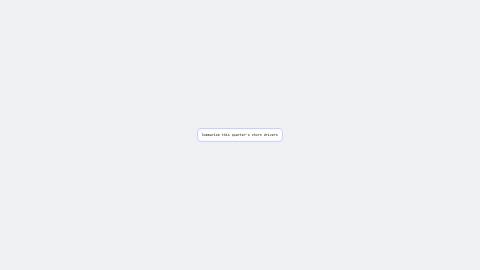
A prompt types into a neutral input, then morphs into a skeleton loader and flips into result cards. One continuous rect drives the box, a 3D flip drives the cards.
AiGeneration, defaults
Installation
npx shadcn add https://www.reelcn.dev/r/ai-generation.jsonFiles land in src/reelcn/ with the items it builds on. Dependencies: remotion, zod.
Register the composition
<Composition
  id="AiGeneration"
  component={AiGeneration}
  schema={aiGenerationSchema}
  defaultProps={aiGenerationDefaults}
  calculateMetadata={aiGenerationMetadata}
  width={1920} height={1080} fps={30} durationInFrames={1}
/>
Render
npx remotion render AiGeneration # 16:9
npx remotion render AiGeneration --width=1080 --height=1920 # 9:16
Props
PropTypeDescription
prompt*string
resultCards*{ title: string; metric: string; }[]
theme"daylight" | "midnight" | "mono" | "ledger" | "afterglow" | "chromewave" | "neon" | "paper" | "sunset"Theme preset. Inherits the surrounding `ThemeProvider` when omitted.
brand{ accent?: string; logo?: string; font?: string; }
sfxbooleanPlays a soft whoosh as each scene starts.
musicstringBackground music file, looped under everything at 25% volume.
Built from
Use
- An AI product's core generate-and-see-results loop
- Any "type a prompt, get structured results" launch demo
Avoid
- A branded chat-bubble look. This stays neutral (no ChatGPT-style chrome)
Make it with an agent
With the reelcn agent skill installed, ask for the video in plain words, such as "make a launch video for Relay with reelcn". The skill picks a template, sets its props, reviews a contact sheet and renders.
Guides
Components take their colors from a theme, their timing from motion props and their layout from the canvas.
Source
registry/items/ai-generation.tsx
/**
 * @title Ai Generation
 * @category templates
 * @description A prompt types into a neutral input, then morphs into a skeleton loader and flips into result cards. One continuous rect drives the box, a 3D flip drives the cards.
 * @duration data-driven
 * @use An AI product's core generate-and-see-results loop
 * @use Any "type a prompt, get structured results" launch demo
 * @avoid A branded chat-bubble look. This stays neutral (no ChatGPT-style chrome)
 * @tags ai, generation, prompt, skeleton, flip, template
 * @example
 * <Composition
 *   id="AiGeneration"
 *   component={AiGeneration}
 *   schema={aiGenerationSchema}
 *   defaultProps={aiGenerationDefaults}
 *   calculateMetadata={aiGenerationMetadata}
 *   width={1920} height={1080} fps={30} durationInFrames={1}
 * />
 */

import { AbsoluteFill, type CalculateMetadataFunction, useCurrentFrame, useVideoConfig } from "remotion";
import { z } from "zod";
import { clamp01, flipInterpolate, layoutRectsFor, type Rect, tween, useTheme, useViewport } from "./core";
import { Input } from "./input";
import { type CustomScene, type Scene, type Story, storyFrames } from "./story";
import { defineScene, Storyboard, templateSchema, templateStory } from "./storyboard";

export const aiGenerationSchema = templateSchema.extend({
  prompt: z.string(),
  resultCards: z.array(z.object({ title: z.string(), metric: z.string() })).min(1),
});

export type AiGenerationProps = z.infer<typeof aiGenerationSchema>;

export const aiGenerationDefaults: AiGenerationProps = {
  prompt: "Summarize this quarter's churn drivers",
  resultCards: [
    { title: "Top driver", metric: "Failed payments, 41%" },
    { title: "At-risk accounts", metric: "128 this month" },
    { title: "Suggested action", metric: "Retry + dunning email" },
  ],
};

function AiGenerationScene({
  prompt,
  resultCards,
}: {
  prompt: string;
  resultCards: { title: string; metric: string }[];
}) {
  const theme = useTheme();
  const { u, width, height } = useViewport();
  const frame = useCurrentFrame();
  const { fps } = useVideoConfig();

  const TYPE_CPS = 12;
  const typeEnd = Math.round((prompt.length / TYPE_CPS) * fps);
  const submit = typeEnd + Math.round(fps * 0.4);
  const skeletonEnd = submit + Math.round(fps * 1.2);
  const flipEnd = skeletonEnd + Math.round(fps * 0.8);

  const inputRect: Rect = { x: width / 2 - u(170), y: height / 2 - u(26), width: u(340), height: u(52) };
  const skeletonRect: Rect = { x: width / 2 - u(220), y: height / 2 - u(70), width: u(440), height: u(140) };
  const cardsCanvas = { width: u(240) * resultCards.length + u(24) * (resultCards.length - 1), height: u(160) };
  const cardsOriginX = width / 2 - cardsCanvas.width / 2;
  const cardsOriginY = height / 2 - cardsCanvas.height / 2;
  const cardRects = layoutRectsFor("strip", resultCards.length, "landscape", cardsCanvas);

  const boxT = clamp01(
    tween(frame, fps, { from: submit, duration: Math.max(1, skeletonEnd - submit), motion: "smooth" }),
  );
  const box = flipInterpolate(inputRect, skeletonRect, boxT);
  const flipT = clamp01(
    tween(frame, fps, { from: skeletonEnd, duration: Math.max(1, flipEnd - skeletonEnd), motion: "smooth" }),
  );

  if (frame < submit) {
    return (
      <AbsoluteFill style={{ alignItems: "center", justifyContent: "center" }}>
        <Input id="prompt" placeholder="Describe what you need" steps={[{ at: 0, state: "typing", type: prompt }]} />
      </AbsoluteFill>
    );
  }

  return (
    <AbsoluteFill>
      <div
        style={{
          position: "absolute",
          left: box.x,
          top: box.y,
          width: box.width,
          height: box.height,
          borderRadius: u(theme.radius),
          background: theme.colors.surface,
          opacity: 1 - flipT,
        }}
      />
      {resultCards.map((card, i) => {
        const rect = cardRects[i];
        return (
          <div
            key={i}
            style={{
              position: "absolute",
              left: cardsOriginX + rect.x,
              top: cardsOriginY + rect.y,
              width: rect.width - u(12),
              height: rect.height,
              opacity: flipT,
              perspective: 900,
            }}
          >
            <div
              style={{
                position: "relative",
                width: "100%",
                height: "100%",
                transformStyle: "preserve-3d",
                transform: `rotateY(${flipT * 180}deg)`,
              }}
            >
              <div
                style={{
                  position: "absolute",
                  inset: 0,
                  backfaceVisibility: "hidden",
                  borderRadius: u(theme.radius),
                  background: theme.colors.border,
                }}
              />
              <div
                style={{
                  position: "absolute",
                  inset: 0,
                  backfaceVisibility: "hidden",
                  transform: "rotateY(180deg)",
                  borderRadius: u(theme.radius),
                  background: theme.colors.accent,
                  color: theme.colors.accentForeground,
                  display: "flex",
                  flexDirection: "column",
                  alignItems: "center",
                  justifyContent: "center",
                  gap: u(6),
                  fontFamily: theme.fonts.body,
                  padding: u(16),
                  textAlign: "center",
                }}
              >
                <div style={{ fontSize: u(15), opacity: 0.85 }}>{card.title}</div>
                <div style={{ fontSize: u(20), fontWeight: 700 }}>{card.metric}</div>
              </div>
            </div>
          </div>
        );
      })}
    </AbsoluteFill>
  );
}

const aiGenerationScene = defineScene({
  type: "ai-generation-beat",
  schema: z.object({ prompt: z.string(), resultCards: z.array(z.object({ title: z.string(), metric: z.string() })) }),
  component: AiGenerationScene,
  duration: (scene: { prompt: string }) => scene.prompt.length / 12 + 3,
});

export function aiGenerationStory(props: AiGenerationProps): Story {
  const scenes: (Scene | CustomScene)[] = [
    { type: "ai-generation-beat", prompt: props.prompt, resultCards: props.resultCards } as CustomScene,
  ];
  // One array-level cast, not per-scene `any`. See brand-reel.tsx's own note (Task 15).
  return templateStory(props, scenes as Scene[]);
}

const aiGenerationScenes = [aiGenerationScene];

export function AiGeneration(props: AiGenerationProps) {
  return <Storyboard story={aiGenerationStory(props)} scenes={aiGenerationScenes} />;
}

// Not `templateMetadata(aiGenerationStory)`: that helper calls `storyFrames(story)` with no custom scene
// rules, and this story's one scene is the template-local `defineScene` type above ("ai-generation-beat").
// Without its rule, `sceneSeconds` falls through to `Scene`'s own switch, matches no case, and returns
// `undefined`, making `durationInFrames` NaN (same failure mode documented in product-launch.tsx).
export const aiGenerationMetadata: CalculateMetadataFunction<AiGenerationProps> = ({ props }) => ({
  durationInFrames: storyFrames(aiGenerationStory(props), aiGenerationScenes),
});