Cursor
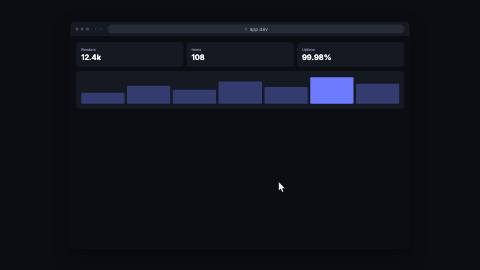
Pointer that glides between waypoints over whatever is behind it, pressing down and rippling on a click.
Installation
npx shadcn add https://www.reelcn.dev/r/cursor.jsonFiles land in src/reelcn/ with the items it builds on. Dependencies: remotion.
Usage
<AbsoluteFill>
  <BrowserWindow url="app.dev">
    <Dashboard />
  </BrowserWindow>
  <Cursor
    waypoints={[
      { x: 20, y: 30, frame: 0 },
      { x: 62, y: 48, frame: 30, click: true },
      { x: 62, y: 70, frame: 60 },
    ]}
  />
</AbsoluteFill>
Props
PropTypeDescription
delaynumberFrames to wait before entering.
durationnumberEnter duration in frames. Defaults to 0.6s. Some items reuse
duration for an unrelated local timing. See that item's own prop docs.exitnumber | booleanExit at the end of the parent `<Sequence>`.
false keeps it on screen, a number sets the exit length in frames. Default false.motionMotionPersonalityOverride the theme's motion personality.
posterbooleanRenders fully entered, with no exit: for a still frame or thumbnail. Defaults to
false.holdFramesnumberDelays the start of the exit window by this many frames, for a minimum on-screen hold. Defaults to
0.waypoints*CursorWaypoint[]
target{ anchors: Record<string, AnchorRect>; id: string; frame?: number; click?: boolean; }A kit anchor as one more destination, appended after
waypoints, equivalent to a literal waypoint,
not a replacement for one (§2's anchor proof: a cursor pointed at a kit anchor renders pixel-identical
to the same cursor pointed at the anchor's own literal `%` rect). Arrives frame frames after the
last waypoint (default 20) and clicks, unless overridden.sizenumberCursor size in design units. Default
34.colorstring
ringColorstringRipple ring color. Defaults to the theme accent.
styleCSSProperties
classNamestring
Built from
Use
- Demonstrating a click path through a UI mockup, dashboard or website
- Drawing the eye to a button just before a `toast` or `callout` appears
Avoid
- A static pointer aimed at one target. Use
arrow
Guides
Components take their colors from a theme, their timing from motion props and their layout from the canvas.
Source
registry/items/cursor.tsx
/**
 * @title Cursor
 * @category product
 * @description Pointer that glides between waypoints over whatever is behind it, pressing down and rippling on a click.
 * @duration data-driven
 * @use Demonstrating a click path through a UI mockup, dashboard or website
 * @use Drawing the eye to a button just before a `toast` or `callout` appears
 * @avoid A static pointer aimed at one target. Use `arrow`
 * @tags cursor, pointer, mouse, click, demo, walkthrough
 * @example
 * <AbsoluteFill>
 *   <BrowserWindow url="app.dev">
 *     <Dashboard />
 *   </BrowserWindow>
 *   <Cursor
 *     waypoints={[
 *       { x: 20, y: 30, frame: 0 },
 *       { x: 62, y: 48, frame: 30, click: true },
 *       { x: 62, y: 70, frame: 60 },
 *     ]}
 *   />
 * </AbsoluteFill>
 */
import type React from "react";
import { AbsoluteFill } from "remotion";
import {
  type AnchorRect,
  alpha,
  type MotionProps,
  type PoseKey,
  requireAnchor,
  tween,
  useKeyframePath,
  useMotion,
  useTheme,
  useViewport,
} from "./core";

export type CursorWaypoint = {
  /** Position in % of the canvas (0–100 on each axis). */
  x: number;
  y: number;
  /** Frame the cursor arrives here, counted from `delay`. */
  frame: number;
  /** Presses the cursor down and rings a ripple as it arrives. */
  click?: boolean;
};

/**
 * Timing comes from `waypoints`. Of the motion props, `delay` shifts every waypoint and `motion` picks the easing
 * between them; `exit` is off by default so the cursor holds its last position.
 */
export type CursorProps = MotionProps & {
  waypoints: CursorWaypoint[];
  /**
   * A kit anchor as one more destination, appended after `waypoints`, equivalent to a literal waypoint,
   * not a replacement for one (§2's anchor proof: a cursor pointed at a kit anchor renders pixel-identical
   * to the same cursor pointed at the anchor's own literal `%` rect). Arrives `frame` frames after the
   * last waypoint (default 20) and clicks, unless overridden.
   */
  target?: { anchors: Record<string, AnchorRect>; id: string; frame?: number; click?: boolean };
  /** Cursor size in design units. */
  size?: number;
  color?: string;
  /** Ripple ring color. Defaults to the theme accent. */
  ringColor?: string;
  style?: React.CSSProperties;
  className?: string;
};

const clamp01 = (value: number) => Math.min(Math.max(value, 0), 1);

// A plain arrow pointer, tip at the origin, no OS or brand cursor glyph.
const POINTER = "M0 0 L0 15.5 L3.6 12.1 L6.1 18.3 L8.6 17.3 L6.2 11.2 L11 11.2 Z";

export function Cursor({
  waypoints,
  target,
  size = 34,
  color,
  ringColor,
  exit = false,
  style,
  className,
  ...motion
}: CursorProps) {
  const theme = useTheme();
  const { u } = useViewport();
  const m = useMotion({ ...motion, exit });
  const fill = color ?? theme.colors.foreground;
  const ring = ringColor ?? theme.colors.accent;
  // `target` resolves to one literal waypoint, appended after `waypoints`, computed independently from
  // the same `anchors` map a kit component's own render already produced this frame; no publishing.
  // Throws on a missing id (ponytail-review should-fix 4: the same `requireAnchor` contract every other
  // `target` consumer uses, a silent no-op here would hide a typo instead of surfacing it).
  const resolved = target ? requireAnchor(target.anchors, target.id, "Cursor") : undefined;
  const withTarget: CursorWaypoint[] = resolved
    ? waypoints.concat([
        {
          x: resolved.x + resolved.width / 2,
          y: resolved.y + resolved.height / 2,
          frame: target?.frame ?? (waypoints.length > 0 ? waypoints[waypoints.length - 1].frame : 0) + 20,
          click: target?.click ?? true,
        },
      ])
    : waypoints;
  const points = withTarget.slice().sort((a, b) => a.frame - b.frame);

  const keys: PoseKey[] = points.map((p) => ({ frame: m.delay + p.frame, x: p.x, y: p.y }));
  const path = useKeyframePath(keys, { motion: m.preset });
  const x = points.length > 0 ? path.x : 50;
  const y = points.length > 0 ? path.y : 50;

  const appear =
    points.length > 0
      ? tween(m.frame, m.fps, { from: m.delay + points[0].frame, duration: Math.round(m.fps * 0.2), motion: "snappy" })
      : 1;
  const pressWindow = Math.round(m.fps * 0.18);
  let press = 0;
  for (const point of points) {
    if (!point.click) continue;
    const t = m.frame - (m.delay + point.frame);
    press = Math.max(press, clamp01(1 - Math.abs(t) / pressWindow));
  }

  const pointerSize = u(size);
  return (
    <AbsoluteFill
      className={className}
      style={{ pointerEvents: "none", opacity: clamp01(appear) * (1 - m.exit), ...style }}
    >
      {points
        .filter((point) => point.click)
        .map((point, index) => {
          const rippleFrom = m.delay + point.frame;
          const p = tween(m.frame, m.fps, { from: rippleFrom, duration: Math.round(m.fps * 0.5), motion: "smooth" });
          if (m.frame < rippleFrom || p >= 1) return null;
          const ringSize = u(60) * (0.3 + p * 1.4);
          return (
            <div
              key={index}
              style={{
                position: "absolute",
                left: `${point.x}%`,
                top: `${point.y}%`,
                width: ringSize,
                height: ringSize,
                translate: "-50% -50%",
                borderRadius: "50%",
                border: `${u(2)}px solid ${alpha(ring, 1 - p)}`,
                background: alpha(ring, (1 - p) * 0.12),
              }}
            />
          );
        })}
      <div
        style={{
          position: "absolute",
          left: `${x}%`,
          top: `${y}%`,
          translate: "-8% -6%",
          scale: String(1 - 0.18 * press),
          filter: `drop-shadow(0 ${u(3)}px ${u(6)}px ${alpha("#000000", 0.4)})`,
        }}
      >
        <svg aria-hidden="true" width={pointerSize} height={pointerSize * 1.18} viewBox="0 0 12 18.3">
          <path d={POINTER} fill={fill} stroke={alpha("#000000", 0.5)} strokeWidth={0.6} strokeLinejoin="round" />
        </svg>
      </div>
    </AbsoluteFill>
  );
}