Switch
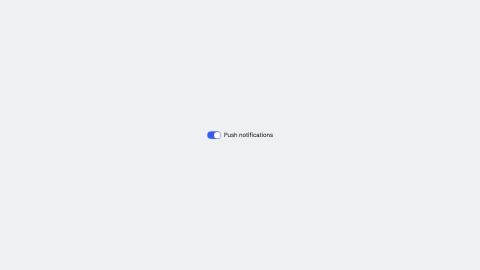
Toggle that flips between off and on with one physical move: the thumb's travel, on the theme's bouncy motion, nothing else animates.
Installation
npx shadcn add https://www.reelcn.dev/r/switch.jsonFiles land in src/reelcn/ with the items it builds on.
Usage
<Center>
  <Switch id="notifications" label="Push notifications" steps={[{ at: 0, state: "off" }, { at: 1, state: "on" }]} />
</Center>
Props
PropTypeDescription
delaynumberFrames to wait before entering.
durationnumberEnter duration in frames. Defaults to 0.6s. Some items reuse
duration for an unrelated local timing. See that item's own prop docs.exitnumber | booleanExit at the end of the parent `<Sequence>`.
false keeps it on screen, a number sets the exit length in frames.motionMotionPersonalityOverride the theme's motion personality.
posterbooleanRenders fully entered, with no exit: for a still frame or thumbnail. Defaults to
false.holdFramesnumberDelays the start of the exit window by this many frames, for a minimum on-screen hold. Defaults to
0.idstring
stepsStep<SwitchState>[]
labelstring
placePlace
styleCSSProperties
classNamestring
Built from
Use
- A settings row in a UI-sim walkthrough
- A `ui` scene's `component: "switch"`
Avoid
- A single static state with no flip. Use plain text or an icon
Guides
Components take their colors from a theme, their timing from motion props and their layout from the canvas.
Source
registry/items/switch.tsx
/**
 * @title Switch
 * @category product
 * @description Toggle that flips between off and on with one physical move: the thumb's travel, on the theme's bouncy motion, nothing else animates.
 * @duration data-driven
 * @use A settings row in a UI-sim walkthrough
 * @use A `ui` scene's `component: "switch"`
 * @avoid A single static state with no flip. Use plain text or an icon
 * @tags switch, toggle, ui, kit
 * @example
 * <Center>
 *   <Switch id="notifications" label="Push notifications" steps={[{ at: 0, state: "off" }, { at: 1, state: "on" }]} />
 * </Center>
 */
import type React from "react";
import {
  type AnchorRect,
  type MotionProps,
  type Place,
  type Step,
  useKeyframeState,
  useMotion,
  useTheme,
  useViewport,
} from "./core";

export type SwitchState = "off" | "on";

export type SwitchProps = MotionProps & {
  id?: string;
  steps?: Step<SwitchState>[];
  label?: string;
  place?: Place;
  style?: React.CSSProperties;
  className?: string;
};

export const TRACK_W = 56;
export const TRACK_H = 32;
const THUMB_D = 26;
const THUMB_INSET = 3;

/** Pure: fixed proportions, no text, shared by `useSwitchAnchors` and the `ui` scene (Task 9), same
 * "one formula" contract every kit box-size function in this phase follows (ponytail-review blocker 2). */
export function switchBoxSize(u: (n: number) => number) {
  return { width: u(TRACK_W), height: u(TRACK_H) };
}

export function useSwitchAnchors(props: SwitchProps): Record<string, AnchorRect> {
  const { u, width, height } = useViewport();
  if (!props.id || !props.place) return {};
  const box = switchBoxSize(u);
  const wPct = (box.width / width) * 100;
  const hPct = (box.height / height) * 100;
  return { [props.id]: { x: props.place.x - wPct / 2, y: props.place.y - hPct / 2, width: wPct, height: hPct } };
}

export function Switch({ id: _id, steps, label, place, style, className, ...motion }: SwitchProps) {
  const theme = useTheme();
  const { u } = useViewport();
  const m = useMotion(motion);
  // "bouncy" always, regardless of the theme's own default motion, a switch reads as a physical flip in
  // every theme, and spring()'s natural overshoot is the "small overshoot" the spec asks for; no hand-rolled
  // easing needed on top of it.
  const { state, from, progress } = useKeyframeState<SwitchState>(steps, "off", { motion: "bouncy" });
  const travel = u(TRACK_W - THUMB_D - THUMB_INSET * 2);
  const fromX = from === "on" ? travel : 0;
  const toX = state === "on" ? travel : 0;
  const x = fromX + (toX - fromX) * progress;
  // M1: the thumb's travel is the switch's one move. The track's on/off color is a flat snap tied to the
  // same fold's own halfway point, not a second, independently-tweened color fade stacked on top of it.
  const settledOn = progress >= 0.5 ? state === "on" : from === "on";
  const track = settledOn ? theme.colors.accent : theme.colors.background;

  return (
    <div
      className={className}
      style={{
        position: place ? "absolute" : "relative",
        left: place ? `${place.x}%` : undefined,
        top: place ? `${place.y}%` : undefined,
        translate: place ? "-50% -50%" : undefined,
        display: "inline-flex",
        alignItems: "center",
        gap: u(12),
        opacity: m.presence,
        ...style,
      }}
    >
      <div
        style={{
          position: "relative",
          width: u(TRACK_W),
          height: u(TRACK_H),
          borderRadius: u(TRACK_H) / 2,
          background: track,
          border: `${u(1.5)}px solid ${theme.colors.border}`,
        }}
      >
        <div
          style={{
            position: "absolute",
            top: u(THUMB_INSET),
            left: u(THUMB_INSET) + x,
            width: u(THUMB_D),
            height: u(THUMB_D),
            borderRadius: "50%",
            background: theme.colors.surface,
            boxShadow: `0 ${u(2)}px ${u(4)}px rgba(0,0,0,0.25)`,
          }}
        />
      </div>
      {label ? (
        <span style={{ color: theme.colors.foreground, fontFamily: theme.fonts.body, fontSize: u(24) }}>{label}</span>
      ) : null}
    </div>
  );
}