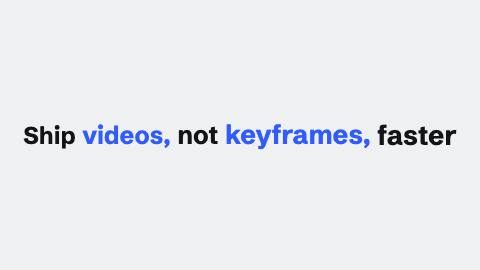
Word push
Words accelerate in one after another, each adding a small cumulative zoom so the whole line reads as one continuous push.
WordPush, hook
Installation
npx shadcn add https://www.reelcn.dev/r/word-push.jsonFiles land in src/reelcn/ with the items it builds on.
Usage
<Center>
  <WordPush words={["Ship", "videos,", "not", "keyframes"]} />
</Center>
Props
PropTypeDescription
delaynumberFrames to wait before entering.
durationnumberEnter duration in frames. Defaults to 0.6s. Some items reuse
duration for an unrelated local timing. See that item's own prop docs.exitnumber | booleanExit at the end of the parent `<Sequence>`.
false keeps it on screen, a number sets the exit length in frames.motionMotionPersonalityOverride the theme's motion personality.
posterbooleanRenders fully entered, with no exit: for a still frame or thumbnail. Defaults to
false.holdFramesnumberDelays the start of the exit window by this many frames, for a minimum on-screen hold. Defaults to
0.words*string[]
gapnumber
accelnumber
sizenumber Default
96.weightnumber
font"mono" | "heading" | "body" Default
"heading".colorstring
accentColorstring
accentWordsstring[]Words painted in the accent color. Case and punctuation are ignored. Omitted: every other word.
recenterbooleanKeep the line centered as it builds, pushing earlier words left. Skipped when the phrase wraps. Default
true.styleCSSProperties
classNamestring
Built from
Use
- Hook lines and headline builds on Shorts/Reels-style content
- Any word-by-word reveal that should speed up, not stay evenly paced
Guides
Components take their colors from a theme, their timing from motion props and their layout from the canvas.
Source
registry/items/word-push.tsx
/**
 * @title Word Push
 * @category text
 * @description Words accelerate in one after another, each adding a small cumulative zoom so the whole line reads as one continuous push.
 * @duration data-driven
 * @use Hook lines and headline builds on Shorts/Reels-style content
 * @use Any word-by-word reveal that should speed up, not stay evenly paced
 * @tags word, push, accelerando, kinetic, hook
 * @example
 * <Center>
 *   <WordPush words={["Ship", "videos,", "not", "keyframes"]} />
 * </Center>
 */
import type React from "react";
import {
  clamp01,
  geometricCadence,
  type MotionProps,
  measurePx,
  tween,
  useMotion,
  useTextMetrics,
  useTheme,
  useViewport,
} from "./core";

export type WordPushOptions = { gap?: number; accel?: number };

/** One entry per word: `delay` in frames (a geometric accelerando, not a constant stagger), `zoomBoost`
 * a small cumulative scale so later words read as part of one continuous push. Pure, no measurement,
 * no hook; positions come from ordinary inline-block DOM flow in the consumer, which already measures
 * the real font the way the browser lays out any text (see the Phase 3a plan's Deviation 3). */
export function useWordPush(
  words: string[],
  { gap = 6, accel = 0.82 }: WordPushOptions = {},
): { delay: number; zoomBoost: number }[] {
  const entries: { delay: number; zoomBoost: number }[] = [];
  for (let i = 0; i < words.length; i++) {
    entries.push({ delay: geometricCadence(i, gap, accel), zoomBoost: 0.035 * i });
  }
  return entries;
}

export type WordPushProps = MotionProps & {
  words: string[];
  gap?: number;
  accel?: number;
  size?: number;
  weight?: number;
  font?: "heading" | "body" | "mono";
  color?: string;
  accentColor?: string;
  /** Words painted in the accent color. Case and punctuation are ignored. Omitted: every other word. */
  accentWords?: string[];
  /** Keep the line centered as it builds, pushing earlier words left. Skipped when the phrase wraps. */
  recenter?: boolean;
  style?: React.CSSProperties;
  className?: string;
};

export function WordPush({
  words,
  gap,
  accel,
  size = 96,
  weight,
  font = "heading",
  color,
  accentColor,
  accentWords,
  recenter = true,
  style,
  className,
  ...motion
}: WordPushProps) {
  const theme = useTheme();
  const { u, width, safe } = useViewport();
  const m = useMotion(motion);
  const fontPx = u(size);
  const cadence = useWordPush(words, { gap, accel });
  const fontWeight = weight ?? (font === "heading" ? theme.headingWeight : 500);
  const fontString = `${fontWeight} ${fontPx}px ${theme.fonts[font]}`;
  const gate = useTextMetrics(
    words.join(" "),
    { fontFamily: theme.fonts[font], fontSize: fontPx, fontWeight },
    {
      skip: !recenter,
    },
  );
  const gapOf = (i: number) =>
    i < words.length - 1 ? Math.max(0.3, cadence[i].zoomBoost * words[i].length * 0.6 + 0.2) : 0;
  // Each slot holds the word at its final zoom (scaled from its left edge) plus a fixed visible gap.
  const slots = words.map(
    (word, i) => measurePx(word, fontString) * (1 + cadence[i].zoomBoost) + (i < words.length - 1 ? 0.28 * fontPx : 0),
  );
  // Growing widths would re-wrap a multi-line phrase mid-build, so recentering only runs on one line. That line
  // may use half of each side's safe margin, since a single build line reads fine slightly wider.
  const building = recenter && gate.ready && slots.reduce((a, b) => a + b, 0) <= width - safe.x;
  const normalize = (word: string) => word.toLowerCase().replace(/[^\p{L}\p{N}]/gu, "");
  const accents = accentWords && new Set(accentWords.map(normalize));

  return (
    <div
      className={className}
      style={{
        fontFamily: theme.fonts[font],
        fontSize: fontPx,
        fontWeight,
        color: color ?? theme.colors.foreground,
        lineHeight: 1.1,
        textAlign: "center",
        textWrap: "balance",
        maxWidth: building ? undefined : width - safe.x * 2,
        whiteSpace: building ? "nowrap" : undefined,
        opacity: 1 - m.exit,
        ...style,
      }}
    >
      {words.map((word, i) => {
        const entry = cadence[i];
        const progress = tween(m.frame, m.fps, {
          from: m.delay + entry.delay,
          duration: m.enterFrames,
          motion: m.preset,
        });
        const opacity = Math.min(Math.max(progress, 0), 1);
        const zoom = 1 + entry.zoomBoost * progress;
        // The cumulative zoom sells the "push", but scaling a word about its own center bleeds its
        // painted glyphs past its unscaled layout box on both sides, with only a plain space
        // character's width reserved between words, that bleed (from the words on both sides of a gap)
        // eats straight through it and merges them (see the visual-check bug). Anchoring the scale to
        // the word's own left edge confines its growth to bleeding rightward into its own trailing gap
        // instead of also eating into the gap before it, so each gap only has to outgrow the one word's
        // own bleed, proportional to `zoomBoost` (how much it grows) and its length (how far that
        // growth reaches), plus a fixed safety pad. Later words push harder and bleed further, so the
        // reserved gap actually grows even as the *visible* gap (what's left after bleed eats into it)
        // keeps shrinking, which is what should read as the accelerando never fully closing the gap.
        const gapEm = gapOf(i);
        const accent = accents ? accents.has(normalize(word)) : i % 2 === 1;
        const wordSpan = (
          <span
            key={i}
            style={{
              display: "inline-block",
              whiteSpace: "pre",
              opacity,
              scale: String(zoom),
              transformOrigin: "0% 50%",
              marginRight: gapEm && !building ? `${gapEm}em` : undefined,
              // While building, each word slides in from the right as its slot opens.
              translate: building ? `${(1 - progress) * 0.5}em 0` : undefined,
              color: accent ? (accentColor ?? theme.colors.accent) : undefined,
            }}
          >
            {word}
          </span>
        );
        if (!building) return wordSpan;
        // The slot opens from 0 to the word's width as it lands, so the centered line grows and earlier words move left.
        return (
          <span
            key={i}
            style={{
              display: "inline-block",
              width: slots[i] * clamp01(progress),
              whiteSpace: "nowrap",
              textAlign: "left",
            }}
          >
            {wordSpan}
          </span>
        );
      })}
    </div>
  );
}