Counter
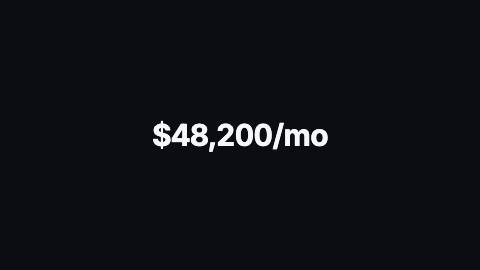
Number that counts between two values with Intl formatting, or rolls its digits like an odometer.
Counter, count
Installation
npx shadcn add https://www.reelcn.dev/r/counter.jsonFiles land in src/reelcn/ with the items it builds on. Dependencies: remotion.
Usage
<Center>
  <Counter to={48200} format={{ style: "currency", currency: "USD" }} suffix="/mo" rolling />
</Center>
Props
PropTypeDescription
delaynumberFrames to wait before entering.
durationnumberEnter duration in frames. Defaults to 0.6s. Some items reuse
duration for an unrelated local timing. See that item's own prop docs.exitnumber | booleanExit at the end of the parent `<Sequence>`.
false keeps it on screen, a number sets the exit length in frames.motionMotionPersonalityOverride the theme's motion personality.
posterbooleanRenders fully entered, with no exit: for a still frame or thumbnail. Defaults to
false.holdFramesnumberDelays the start of the exit window by this many frames, for a minimum on-screen hold. Defaults to
0.to*number
fromnumber Default
0.formatNumberFormatOptionsIntl.NumberFormat options. Fraction digits default to however many
from and to have. Default {}.localestringDefaults to "en-US", so renders match on every machine. Default
"en-US".prefixstring Default
"".suffixstring Default
"".sizenumberFont size in design units. Default
120.weightnumber
font"mono" | "heading" | "body" Default
"heading".colorstring
rollingbooleanOdometer-style digit wheels instead of a counting number. Default
false.align"left" | "right" | "center" Default
"center".styleCSSProperties
classNamestring
Built from
Use
- Revenue, users, downloads and other headline metrics
- Prices and percentages that should tick up on screen
Avoid
- A metric with a label and a change indicator. Use
stat-counter - Several metrics at once. Use
kpi-grid
Guides
Components take their colors from a theme, their timing from motion props and their layout from the canvas.
Source
registry/items/counter.tsx
/**
 * @title Counter
 * @category text
 * @description Number that counts between two values with Intl formatting, or rolls its digits like an odometer.
 * @duration 45
 * @use Revenue, users, downloads and other headline metrics
 * @use Prices and percentages that should tick up on screen
 * @avoid A metric with a label and a change indicator. Use `stat-counter`
 * @avoid Several metrics at once. Use `kpi-grid`
 * @tags number, count up, odometer, metric, stat
 * @example
 * <Center>
 *   <Counter to={48200} format={{ style: "currency", currency: "USD" }} suffix="/mo" rolling />
 * </Center>
 */
import type React from "react";
import { useVideoConfig } from "remotion";
import { type MotionProps, useMotion, useTheme, useViewport } from "./core";

export type CounterProps = MotionProps & {
  to: number;
  from?: number;
  /** Intl.NumberFormat options. Fraction digits default to however many `from` and `to` have. */
  format?: Intl.NumberFormatOptions;
  /** Defaults to "en-US", so renders match on every machine. */
  locale?: string;
  prefix?: string;
  suffix?: string;
  /** Font size in design units. */
  size?: number;
  weight?: number;
  font?: "heading" | "body" | "mono";
  color?: string;
  /** Odometer-style digit wheels instead of a counting number. */
  rolling?: boolean;
  align?: "left" | "center" | "right";
  style?: React.CSSProperties;
  className?: string;
};

const decimals = (n: number) => {
  const text = String(n);
  const dot = text.indexOf(".");
  return dot < 0 ? 0 : Math.min(text.length - dot - 1, 6);
};

/** Show as many fraction digits as `from` and `to` have, unless the format already decides. */
function withDigits(format: Intl.NumberFormatOptions, from: number, to: number): Intl.NumberFormatOptions {
  if (
    format.minimumFractionDigits !== undefined ||
    format.maximumFractionDigits !== undefined ||
    format.minimumSignificantDigits !== undefined ||
    format.maximumSignificantDigits !== undefined
  ) {
    return format;
  }
  const digits = Math.max(0, Math.max(decimals(from), decimals(to)) - (format.style === "percent" ? 2 : 0));
  return { ...format, minimumFractionDigits: digits, maximumFractionDigits: digits };
}

const isDigit = (char: string) => char >= "0" && char <= "9";
const STRIP = "01234567890".split("");

/** One odometer wheel. `position` 0–10 runs through the digits and back to 0; fractions sit between two digits. */
function Wheel({ position }: { position: number }) {
  const offset = ((position % 10) + 10) % 10;
  return (
    <span style={{ height: "1.1em", overflow: "hidden" }}>
      <span style={{ display: "flex", flexDirection: "column", translate: `0 ${-offset * 1.1}em` }}>
        {STRIP.map((digit, index) => (
          <span key={index} style={{ height: "1.1em" }}>
            {digit}
          </span>
        ))}
      </span>
    </span>
  );
}

/**
 * Lays the final value out once and turns each digit wheel from the live value, like an odometer: the ones wheel
 * rolls freely, and each higher wheel holds its digit and only flips over in the last tenth of the wheel below it.
 * A place the value hasn't reached yet fades and rises in instead of showing a leading zero.
 */
function wheels(target: string, scaled: number) {
  const cells: React.ReactNode[] = [];
  let place = 0;
  let placeShown = 1;
  for (let i = target.length - 1; i >= 0; i--) {
    const char = target[i];
    if (!isDigit(char)) {
      // A group separator shows once the digit to its left does; a currency sign or other affix always shows.
      const separator = [...target.slice(0, i)].some(isDigit);
      cells.unshift(
        <span key={i} style={{ opacity: separator ? placeShown : 1 }}>
          {char}
        </span>,
      );
      continue;
    }
    const units = scaled / 10 ** place;
    const whole = Math.floor(units);
    const flip = place === 0 ? units - whole : Math.max(0, (units - whole - 0.9) / 0.1);
    // Leading places only: the ones digit (and anything below a decimal point) always shows.
    const shown = place === 0 ? 1 : Math.min(1, Math.max(0, (units - 0.9) / 0.1));
    placeShown = shown;
    cells.unshift(
      <span key={i} style={{ display: "inline-flex", opacity: shown, translate: `0 ${(1 - shown) * 0.3}em` }}>
        <Wheel position={whole + flip} />
      </span>,
    );
    place++;
  }
  return cells;
}

export function Counter({
  to,
  from = 0,
  format = {},
  locale = "en-US",
  prefix = "",
  suffix = "",
  size = 120,
  weight,
  font = "heading",
  color,
  rolling = false,
  align = "center",
  style,
  className,
  ...motion
}: CounterProps) {
  const theme = useTheme();
  const { u } = useViewport();
  const { fps } = useVideoConfig();
  const m = useMotion({ ...motion, duration: motion.duration ?? Math.round(fps * 1.5) });
  const fontPx = u(size);
  const formatter = new Intl.NumberFormat(locale, withDigits(format, from, to));
  // Counts on time with an ease-out, not the theme's motion preset: settle and bouncy reach 1 in the first
  // fifth of the window and overshoot past it, which counted past `to` and finished almost at once.
  const t = Math.min(Math.max((m.frame - m.delay) / Math.max(m.enterFrames, 1), 0), 1);
  const p = motion.poster ? 1 : 1 - (1 - t) ** 3;
  const value = from + (to - from) * p;
  // A small pulse as the count lands.
  const landed = Math.min(Math.max((m.frame - m.delay - m.enterFrames) / 8, 0), 1);
  const pulse = 1 + Math.sin(landed * Math.PI) * 0.05;
  const options = formatter.resolvedOptions();
  // The value as an integer in the units of the last shown digit (cents for 2 fraction digits, and so on).
  const scaled = Math.abs(value) * (options.style === "percent" ? 100 : 1) * 10 ** (options.maximumFractionDigits ?? 0);

  return (
    <div
      className={className}
      style={{
        fontFamily: theme.fonts[font],
        fontSize: fontPx,
        fontWeight: weight ?? (font === "heading" ? theme.headingWeight : 600),
        color: color ?? theme.colors.foreground,
        lineHeight: 1.1,
        letterSpacing: font === "mono" ? 0 : "-0.02em",
        fontVariantNumeric: "tabular-nums",
        whiteSpace: "nowrap",
        textAlign: align,
        opacity: 1 - m.exit,
        translate: `0 ${-m.exit * fontPx * 0.2}px`,
        scale: String(pulse),
        ...style,
      }}
    >
      {rolling ? (
        <span style={{ display: "inline-flex", alignItems: "flex-start" }}>
          {prefix}
          {wheels(formatter.format(Math.abs(to) >= Math.abs(from) ? to : from), scaled)}
          {suffix}
        </span>
      ) : (
        // The start and end values sit invisibly in the same grid cell, so the width never changes mid-count.
        <span
          style={{
            display: "inline-grid",
            justifyItems: align === "left" ? "start" : align === "right" ? "end" : "center",
          }}
        >
          {[from, to, value].map((n, index) => (
            <span key={index} style={{ gridArea: "1 / 1", visibility: index === 2 ? "visible" : "hidden" }}>
              {prefix}
              {formatter.format(n)}
              {suffix}
            </span>
          ))}
        </span>
      )}
    </div>
  );
}