Line slide
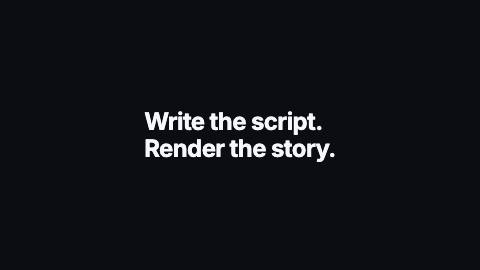
Multi-line statement where each line slides up from behind a mask, one line after another.
A preset of Text reveal.
LineSlide, lines
Installation
npx shadcn add https://www.reelcn.dev/r/line-slide.jsonFiles land in src/reelcn/ with the items it builds on.
Usage
<Center>
  <LineSlide text={"Write the script.\nRender the story."} align="left" />
</Center>
Props
PropTypeDescription
font"mono" | "heading" | "body"
delaynumberFrames to wait before entering.
durationnumberEnter duration in frames. Defaults to 0.6s. Some items reuse
duration for an unrelated local timing. See that item's own prop docs.exitnumber | booleanExit at the end of the parent `<Sequence>`.
false keeps it on screen, a number sets the exit length in frames.motionMotionPersonalityOverride the theme's motion personality.
posterbooleanRenders fully entered, with no exit: for a still frame or thumbnail. Defaults to
false.holdFramesnumberDelays the start of the exit window by this many frames, for a minimum on-screen hold. Defaults to
0.staggernumberFrames between units. Defaults at 30fps: char 1, word 2, line 5.
styleCSSProperties
classNamestring
text*string
sizenumberFont size in design units.
weightnumber
colorstring
accentColorstring
accentWordsstring[]Words painted in the accent color. Case and punctuation are ignored.
align"left" | "right" | "center"
from"left" | "right" | "below" | "above"Where
rise, blur and mask units travel in from.orderStaggerOrderWhich unit enters first.
scaleFromnumberStarting scale for the
scale effect: below 1 grows in, above 1 slams down.Built from
Use
- Two- or three-line statements, with lines separated by "\n"
- Manifesto-style sequences and closing statements
Avoid
- A single word or name. Use
char-rise
Guides
Components take their colors from a theme, their timing from motion props and their layout from the canvas.
Source
registry/items/line-slide.tsx
/**
 * @title Line Slide
 * @category text
 * @description Multi-line statement where each line slides up from behind a mask, one line after another.
 * @duration 30
 * @use Two- or three-line statements, with lines separated by "\n"
 * @use Manifesto-style sequences and closing statements
 * @avoid A single word or name. Use `char-rise`
 * @tags lines, mask, slide, statement, stagger
 * @preset text-reveal
 * @example
 * <Center>
 *   <LineSlide text={"Write the script.\nRender the story."} align="left" />
 * </Center>
 */
import { TextReveal, type TextRevealProps } from "./text-reveal";

export type LineSlideProps = Omit<TextRevealProps, "effect" | "split">;

export function LineSlide(props: LineSlideProps) {
  return <TextReveal {...props} split="line" effect="mask" />;
}