Scramble
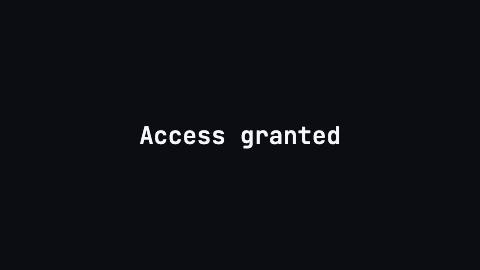
Decodes a line out of random glyphs, resolving characters left to right from a stable seed.
Scramble, decode
Installation
npx shadcn add https://www.reelcn.dev/r/scramble.jsonFiles land in src/reelcn/ with the items it builds on. Dependencies: remotion.
Usage
<Center>
  <Scramble text="Access granted" font="mono" seed="login" />
</Center>
Props
PropTypeDescription
delaynumberFrames to wait before entering.
durationnumberEnter duration in frames. Defaults to 0.6s. Some items reuse
duration for an unrelated local timing. See that item's own prop docs.exitnumber | booleanExit at the end of the parent `<Sequence>`.
false keeps it on screen, a number sets the exit length in frames.motionMotionPersonalityOverride the theme's motion personality.
posterbooleanRenders fully entered, with no exit: for a still frame or thumbnail. Defaults to
false.holdFramesnumberDelays the start of the exit window by this many frames, for a minimum on-screen hold. Defaults to
0.text*string
seedstring | numberPicks the random glyphs. The same seed renders the same frames on every machine. Default
"scramble".charsetstringGlyphs shown while a character is still unresolved. Default
"ABCDEFGHIJKLMNOPQRSTUVWXYZ0123456789#%&*+=?".staggernumberFrames between one character starting to scramble and the next.
duration is how long each one scrambles.perCharFramesnumberFrames each character scrambles before resolving. Wins over
duration. Defaults to 0.6s.glyphHoldnumberFrames each random glyph stays before the next. Defaults to 1/15s, so it reads as decoding, not flicker.
start"hidden" | "scrambled"Before its turn a character is hidden (the line types on), or already scrambled (the whole line decodes). Default
"hidden".orderStaggerOrderWhich character resolves first. Default
"forward".sizenumberFont size in design units. Default
96.weightnumber
font"mono" | "heading" | "body" Default
"heading".colorstring
glyphColorstringColor of unresolved glyphs. Defaults to the theme accent.
align"left" | "right" | "center" Default
"center".styleCSSProperties
classNamestring
Built from
Use
- Tech, security and launch reveals
- Names, codes or numbers that should feel computed
Avoid
- Long sentences. Use
text-reveal
Guides
Components take their colors from a theme, their timing from motion props and their layout from the canvas.
Source
registry/items/scramble.tsx
/**
 * @title Scramble
 * @category text
 * @description Decodes a line out of random glyphs, resolving characters left to right from a stable seed.
 * @duration data-driven
 * @use Tech, security and launch reveals
 * @use Names, codes or numbers that should feel computed
 * @avoid Long sentences. Use `text-reveal`
 * @tags decode, cipher, glyphs, hacker, random
 * @example
 * <Center>
 *   <Scramble text="Access granted" font="mono" seed="login" />
 * </Center>
 */
import type React from "react";
import { random } from "remotion";
import { graphemes, type MotionProps, type StaggerOrder, staggerDelay, useMotion, useTheme, useViewport } from "./core";

export type ScrambleProps = MotionProps & {
  text: string;
  /** Picks the random glyphs. The same seed renders the same frames on every machine. */
  seed?: string | number;
  /** Glyphs shown while a character is still unresolved. */
  charset?: string;
  /** Frames between one character starting to scramble and the next. `duration` is how long each one scrambles. */
  stagger?: number;
  /** Frames each character scrambles before resolving. Wins over `duration`. Defaults to 0.6s. */
  perCharFrames?: number;
  /** Frames each random glyph stays before the next. Defaults to 1/15s, so it reads as decoding, not flicker. */
  glyphHold?: number;
  /** Before its turn a character is hidden (the line types on), or already scrambled (the whole line decodes). */
  start?: "hidden" | "scrambled";
  /** Which character resolves first. */
  order?: StaggerOrder;
  /** Font size in design units. */
  size?: number;
  weight?: number;
  font?: "heading" | "body" | "mono";
  color?: string;
  /** Color of unresolved glyphs. Defaults to the theme accent. */
  glyphColor?: string;
  align?: "left" | "center" | "right";
  style?: React.CSSProperties;
  className?: string;
};

export function Scramble({
  text,
  seed = "scramble",
  charset = "ABCDEFGHIJKLMNOPQRSTUVWXYZ0123456789#%&*+=?",
  stagger,
  perCharFrames,
  glyphHold,
  start: before = "hidden",
  order = "forward",
  size = 96,
  weight,
  font = "heading",
  color,
  glyphColor,
  align = "center",
  style,
  className,
  ...motion
}: ScrambleProps) {
  const theme = useTheme();
  const { u, width, safe } = useViewport();
  const m = useMotion(motion);
  const fontPx = u(size);
  const glyphs = graphemes(charset);
  const step = stagger ?? Math.max(1, Math.round(m.fps / 30));
  const hold = glyphHold ?? Math.max(1, Math.round(m.fps / 15));
  const count = graphemes(text.replace(/\s+/g, "")).length;
  let index = 0;

  const renderChar = (char: string, key: number) => {
    const i = index++;
    const scrambleFrames = perCharFrames ?? m.enterFrames;
    const start = m.delay + staggerDelay(i, count, { step, order, seed: String(seed) });
    const resolved = m.frame >= start + scrambleFrames;
    const scrambling = !resolved && m.frame >= (before === "scrambled" ? m.delay : start);
    let glyph: string | null = null;
    if (scrambling) {
      const pick = Math.floor(random(`scramble-${seed}-${i}-${Math.floor(m.frame / hold)}`) * glyphs.length);
      // Never the real character (it would look resolved), and in its case: lowercase text gets lowercase glyphs.
      const candidate = glyphs[pick] === char ? glyphs[(pick + 1) % glyphs.length] : glyphs[pick];
      glyph = char !== char.toUpperCase() ? candidate.toLowerCase() : candidate;
    }
    // The real character always holds the layout; the glyph is drawn over it, so the line never jitters.
    return (
      <span key={key} style={{ position: "relative", display: "inline-block" }}>
        <span style={{ visibility: resolved ? "visible" : "hidden" }}>{char}</span>
        {glyph !== null && (
          <span
            style={{
              position: "absolute",
              top: 0,
              left: 0,
              right: 0,
              textAlign: "center",
              color: glyphColor ?? theme.colors.accent,
            }}
          >
            {glyph}
          </span>
        )}
      </span>
    );
  };

  return (
    <div
      className={className}
      style={{
        fontFamily: theme.fonts[font],
        fontSize: fontPx,
        fontWeight: weight ?? (font === "heading" ? theme.headingWeight : 500),
        color: color ?? theme.colors.foreground,
        lineHeight: 1.1,
        letterSpacing: font === "mono" ? 0 : "-0.02em",
        textAlign: align,
        textWrap: "balance",
        maxWidth: width - safe.x * 2,
        opacity: 1 - m.exit,
        translate: `0 ${-m.exit * fontPx * 0.2}px`,
        ...style,
      }}
    >
      {text.split(/(\s+)/).map((word, wordNumber) =>
        // Whitespace stays a plain text node so the browser can still wrap the line.
        !word || /^\s+$/.test(word) ? (
          word
        ) : (
          <span key={wordNumber} style={{ display: "inline-block", whiteSpace: "nowrap" }}>
            {graphemes(word).map(renderChar)}
          </span>
        ),
      )}
    </div>
  );
}