Spectrum
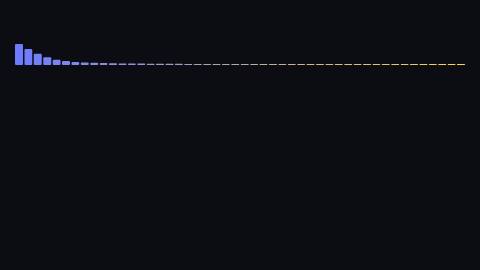
Frequency bars, from bass on the left to treble on the right, moving with the track.
Spectrum, defaults
Installation
npx shadcn add https://www.reelcn.dev/r/spectrum.jsonFiles land in src/reelcn/ with the items it builds on. Dependencies: @remotion/media-utils, remotion.
Usage
<Spectrum src={staticFile("track.mp3")} bars={48} />Props
PropTypeDescription
src*stringAudio file; `staticFile("…")` or a URL.
barsnumberBars across the width. Rounded up to a power of two internally. Default
48.heightnumber Default
260.colorstring
toColorstringSecond color; bars blend from
color to this across the width.windowInSecondsnumber Default
10.styleCSSProperties
classNamestring
Built from
Use
- Music clips and visualisers
- Any scene that should feel driven by the track
Avoid
- Speech, where a waveform reads better. Use
waveform
Guides
Components take their colors from a theme, their timing from motion props and their layout from the canvas.
Source
registry/items/spectrum.tsx
/**
 * @title Spectrum
 * @category audio
 * @description Frequency bars, from bass on the left to treble on the right, moving with the track.
 * @duration sustained
 * @use Music clips and visualisers
 * @use Any scene that should feel driven by the track
 * @avoid Speech, where a waveform reads better. Use `waveform`
 * @tags spectrum, frequency, music, visualizer
 * @example
 * <Spectrum src={staticFile("track.mp3")} bars={48} />
 */
import { useWindowedAudioData, visualizeAudio } from "@remotion/media-utils";
import type React from "react";
import { useCurrentFrame, useVideoConfig } from "remotion";
import { useTheme, useViewport } from "./core";

export type SpectrumProps = {
  /** Audio file; `staticFile("…")` or a URL. */
  src: string;
  /** Bars across the width. Rounded up to a power of two internally. */
  bars?: number;
  height?: number;
  color?: string;
  /** Second color; bars blend from `color` to this across the width. */
  toColor?: string;
  windowInSeconds?: number;
  style?: React.CSSProperties;
  className?: string;
};

export function Spectrum({
  src,
  bars = 48,
  height = 260,
  color,
  toColor,
  windowInSeconds = 10,
  style,
  className,
}: SpectrumProps) {
  const frame = useCurrentFrame();
  const { fps } = useVideoConfig();
  const { u, width } = useViewport();
  const theme = useTheme();
  const { audioData, dataOffsetInSeconds } = useWindowedAudioData({ src, frame, fps, windowInSeconds });
  // visualizeAudio wants a power of two; take the next one up and trim.
  const samples = 2 ** Math.ceil(Math.log(bars) / Math.log(2));
  const values = audioData
    ? visualizeAudio({ fps, frame, audioData, numberOfSamples: samples, dataOffsetInSeconds }).slice(0, bars)
    : new Array(bars).fill(0);

  const from = color ?? theme.colors.accent;
  const to = toColor ?? theme.colors.highlight;
  const band = u(height);
  const gap = u(6);
  const barWidth = Math.max(u(3), (width - u(120) - gap * (bars - 1)) / bars);

  return (
    <div
      className={className}
      style={{ display: "flex", alignItems: "flex-end", justifyContent: "center", gap, height: band, ...style }}
    >
      {values.map((value, index) => (
        <div
          key={index}
          style={{
            width: barWidth,
            // Bass carries most of the energy, so lift the high bars to keep the shape readable.
            height: Math.max(u(4), Math.min(1, value * (1 + index / bars) * 3) * band),
            borderRadius: u(4),
            background: `color-mix(in srgb, ${from} ${Math.round(100 - (index / bars) * 100)}%, ${to})`,
          }}
        />
      ))}
    </div>
  );
}