Gradient mesh
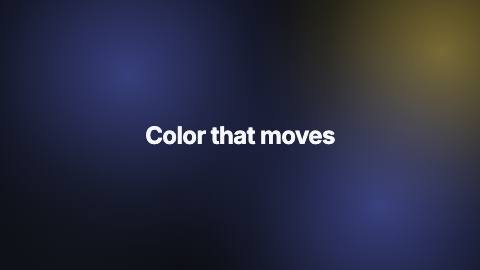
Soft color blobs in the theme accent, highlight and surface drifting slowly over the background.
GradientMesh, defaults
Installation
npx shadcn add https://www.reelcn.dev/r/gradient-mesh.jsonFiles land in src/reelcn/ with the items it builds on. Dependencies: remotion.
Usage
<AbsoluteFill>
  <GradientMesh />
  <Center><TextReveal text="Hello" /></Center>
</AbsoluteFill>
Props
PropTypeDescription
delaynumberFrames to wait before entering.
durationnumberEnter duration in frames. Defaults to 0.6s. Some items reuse
duration for an unrelated local timing. See that item's own prop docs.exitnumber | booleanExit at the end of the parent `<Sequence>`.
false keeps it on screen, a number sets the exit length in frames.motionMotionPersonalityOverride the theme's motion personality.
posterbooleanRenders fully entered, with no exit: for a still frame or thumbnail. Defaults to
false.holdFramesnumberDelays the start of the exit window by this many frames, for a minimum on-screen hold. Defaults to
0.backgroundstringBase fill. Defaults to the theme background.
colorsstring[]One blob per color; three or four look best. Defaults to accent, highlight, surface, accent.
intensitynumberBlob opacity at its center, 0–1. Default
0.45.blobSizenumberBlob diameter as a share of the canvas' long side. Default
0.8.speednumberDrift speed multiplier. 0 freezes the blobs. Default
1.styleCSSProperties
classNamestring
Built from
Use
- Hero scenes, launch titles and product intros that need color and gentle motion
- Behind glass cards, device frames and stat callouts
Avoid
- A still, single-color brand canvas. Use
brand-solid
Guides
Components take their colors from a theme, their timing from motion props and their layout from the canvas.
Source
registry/items/gradient-mesh.tsx
/**
 * @title Gradient Mesh
 * @category backgrounds
 * @description Soft color blobs in the theme accent, highlight and surface drifting slowly over the background.
 * @duration sustained
 * @use Hero scenes, launch titles and product intros that need color and gentle motion
 * @use Behind glass cards, device frames and stat callouts
 * @avoid A still, single-color brand canvas. Use `brand-solid`
 * @tags gradient, mesh, blobs, color, ambient
 * @example
 * <AbsoluteFill>
 *   <GradientMesh />
 *   <Center><TextReveal text="Hello" /></Center>
 * </AbsoluteFill>
 */
import type React from "react";
import { AbsoluteFill } from "remotion";
import { alpha, type MotionProps, useMotion, useTheme, useViewport } from "./core";
import { FlatAccentLook, FlatBlocksLook, GrainFieldLook, GridSweepLook } from "./core-physical-light";

export type GradientMeshProps = MotionProps & {
  /** Base fill. Defaults to the theme background. */
  background?: string;
  /** One blob per color; three or four look best. Defaults to accent, highlight, surface, accent. */
  colors?: string[];
  /** Blob opacity at its center, 0–1. */
  intensity?: number;
  /** Blob diameter as a share of the canvas' long side. */
  blobSize?: number;
  /** Drift speed multiplier. 0 freezes the blobs. */
  speed?: number;
  style?: React.CSSProperties;
  className?: string;
};

/** Resting spots, kept toward the edges so the middle of the frame stays calm for text. */
const anchors = [
  [0.16, 0.2],
  [0.86, 0.26],
  [0.26, 0.86],
  [0.8, 0.8],
  [0.52, 0.06],
  [0.06, 0.58],
];

const clamp01 = (value: number) => Math.min(Math.max(value, 0), 1);

type GradientMeshLook = "blobs" | "grid-sweep" | "grain-field" | "flat-blocks" | "flat-accent";

const LOOK_BY_THEME: Record<string, GradientMeshLook> = {
  daylight: "blobs",
  midnight: "grid-sweep",
  mono: "flat-accent",
  ledger: "grain-field",
  afterglow: "blobs",
  chromewave: "flat-blocks",
};

export function GradientMesh({
  background,
  colors,
  intensity = 0.45,
  blobSize = 0.8,
  speed = 1,
  style,
  className,
  ...motion
}: GradientMeshProps) {
  const theme = useTheme();
  const { width, height } = useViewport();
  const m = useMotion(motion);
  const palette = colors ?? [theme.colors.accent, theme.colors.highlight, theme.colors.surface, theme.colors.accent];
  const seconds = (m.frame / m.fps) * speed;
  const size = Math.max(width, height) * blobSize;
  const strength = intensity * m.presence;

  const look = LOOK_BY_THEME[theme.name] ?? "blobs";

  if (look === "grid-sweep")
    return (
      <GridSweepLook
        theme={theme}
        seconds={seconds}
        strength={strength * 0.7}
        background={background}
        className={className}
        style={style}
      />
    );
  if (look === "grain-field")
    return (
      <GrainFieldLook
        theme={theme}
        seconds={seconds}
        strength={strength * 0.6}
        palette={palette}
        background={background}
        className={className}
        style={style}
      />
    );
  if (look === "flat-blocks")
    return (
      <FlatBlocksLook
        theme={theme}
        seconds={seconds}
        strength={strength * 0.6}
        palette={palette}
        background={background}
        className={className}
        style={style}
      />
    );
  if (look === "flat-accent")
    return (
      <FlatAccentLook
        theme={theme}
        seconds={seconds}
        strength={strength * 0.6}
        background={background}
        className={className}
        style={style}
      />
    );

  return (
    <AbsoluteFill className={className} style={{ background: background ?? theme.colors.background, ...style }}>
      {palette.map((color, index) => {
        const [ax, ay] = anchors[index % anchors.length];
        // Each blob gets its own slow period so the pattern never visibly repeats inside a scene.
        const period = 13 + index * 3.7;
        const phase = index * 1.9;
        const angle = (seconds / period) * Math.PI * 2 + phase;
        const x = (ax + 0.13 * Math.sin(angle)) * width;
        const y = (ay + 0.11 * Math.cos(angle * 0.8 + phase)) * height;
        const scale = 1 + 0.08 * Math.sin(angle * 1.3);
        const stop = (share: number) => alpha(color, clamp01(strength * share));
        return (
          <div
            key={index}
            style={{
              position: "absolute",
              left: x - size / 2,
              top: y - size / 2,
              width: size,
              height: size,
              scale: String(scale),
              background: `radial-gradient(closest-side, ${stop(1)} 0%, ${stop(0.62)} 32%, ${stop(0.24)} 62%, ${stop(0.06)} 84%, ${stop(0)} 100%)`,
            }}
          />
        );
      })}
    </AbsoluteFill>
  );
}